We read your DMARC reports and show who is sending email as your domain.
From SPF and DKIM setup to the day you raise the policy, you only see what to do next.
One domain free for good · 14 days of Pro when you sign up, no card
emailsec.genharden.com
The real app, shown with sample data.
DMARC reports from Google, Microsoft, Yahoo and other receivers, gathered in one place.
DMARC is set up.
Is it still at p=none?
p=none only watches. When someone spoofs your domain, it doesn't ask receivers to stop that mail. Most teams stay there for the same few reasons.
The reports are XML
Every receiver sends its own XML file. Opening one doesn't tell you what to do first.
Nobody knows every sender
Work email, newsletters, billing notices, internal systems: more services send as your domain than anyone remembers.
Real email might get blocked
Raise the policy before SPF and DKIM are right, and email your customers expect goes to spam or bounces.
From p=none to p=reject
Four steps to p=reject,
and you see where you stand
For each domain, whatever is left before the next step shows up as tasks. When they're done, we email you that the DMARC policy can be raised.
1
Receive reports
One DNS record
Add a report address to the rua tag of your DMARC record. Your current policy and mail servers stay as they are.
2
Sort out senders
Once per sender
Go through the senders your reports show and decide for each: allow it or block it. When an allowed sender fails authentication, we show how to fix its SPF and DKIM.
3
p=quarantine
30 days of reports
Once you have at least 30 days of reports and nothing left to do, the policy can be raised. Mail that fails authentication then goes to spam.
4
p=reject
14 days at quarantine
Watch quarantine for 14 days, then raise the policy to reject. Receivers then refuse mail that fails authentication.
The kind of tasks you get
To do4
Fix the SPF record of shop.acme.exampleThere is more than one record, so receivers cannot check SPF for this nameYou get the merged value to publish
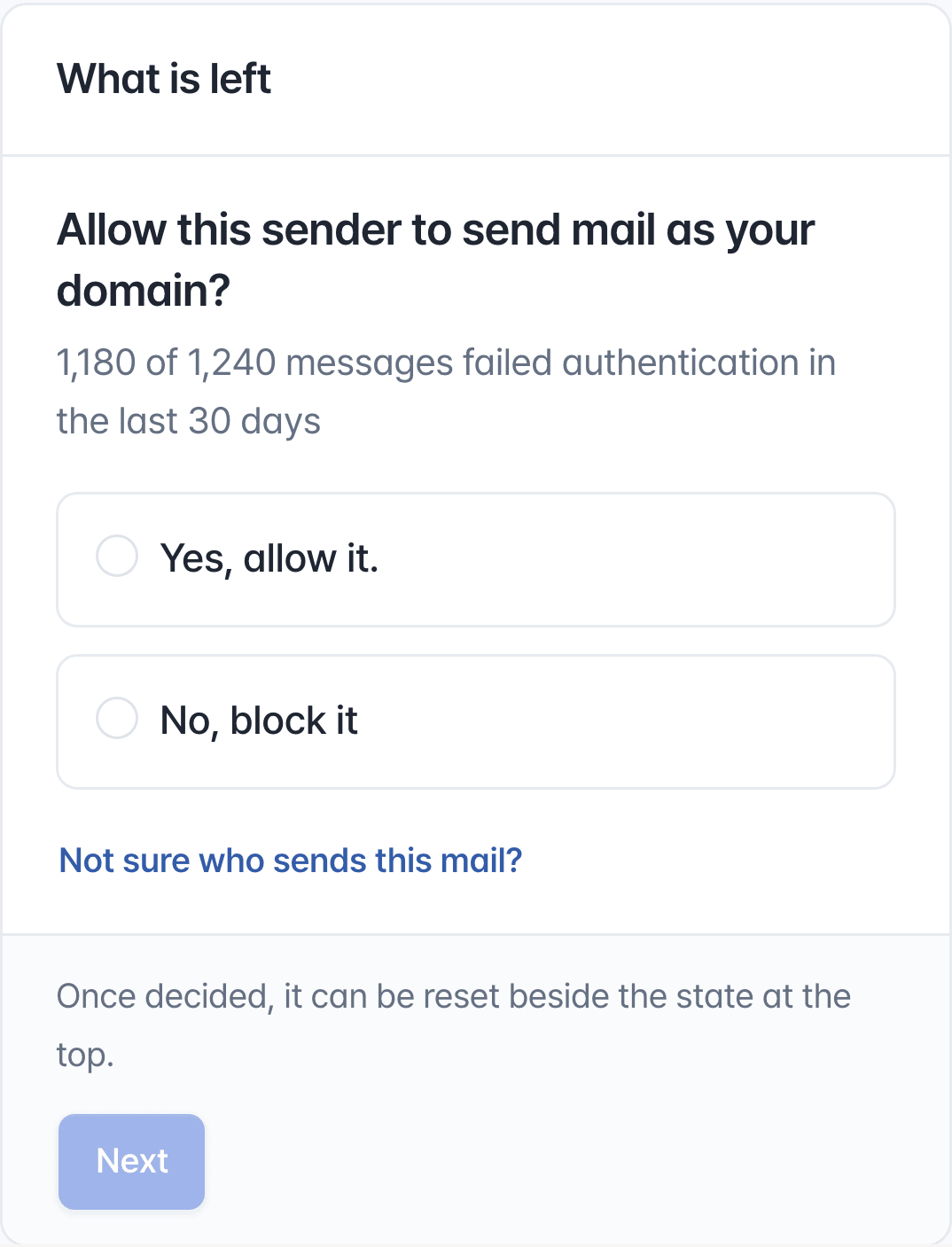
Allow or block Mailchimpnews.acme.example · 1,180 of 1,240 messages failed authentication in the last 30 daysYours? Allow it. Not yours? Block it
Set up mail authentication for Twilio SendGridacme.example and 1 more · 450 messages failed authentication in the last 30 daysStep by step, down to the DNS records
Allow or block server 203.0.113.88acme.example · all 232 messages failed authentication in the last 30 daysShown with its hostname and network
Once every task is done
Raise the DMARC policy of acme.example to quarantineAll 4 checks before raising it are met
A sample. In the app, these come from your own domain's reports.
Senders
Every sender in your reports,
in one list
We group the servers in your DMARC reports by sending service. Common ones such as Google Workspace, Microsoft 365, Amazon SES and SendGrid are recognized by name; the rest are identified by IP and network.
Message and failure counts for every sender, one row each
One decision per sender: allow it or block it
Don't recognize a sender? You get a ready-to-send note for asking around
SPF and DKIM setup
Why a sender fails,
and what to put in DNS
SPF and DKIM can pass while DMARC fails, because the domain that passed isn't the one in the From address. For each sender we name the reason in one sentence and walk you through the fix.
SPF and DMARC records as type, name and value, ready to copy
For common services, where the setting lives and the official guide
Check right away with a test email, then again with the next reports
Before you raise the policy,
see what it would stop
First, we show what the new policy would have done to the last 30 days of mail: how many messages it would have affected, counted separately for allowed senders, undecided senders, forwarded mail and spoofed mail.
An email the day every condition is met
You change one thing: the p value in your DMARC record
Something looks wrong? Put the old value back
DMARC monitoring continues
after you reach p=reject
A new sender appears, or mail that used to pass starts failing: it becomes a task and you get an email. No need to check in every day.
Daily DNS checks
Your DMARC and SPF records and DKIM keys are read again every day. If a record disappears or breaks, you're told.
Email notifications
New tasks arrive once a day. Urgent ones, when mail starts getting stopped, arrive right away. You also get an email the day the policy can be raised.
Slack notificationsPlus and up
Tasks and urgent notices, in the Slack channel your team already reads.
Monthly reportPlus and up
A report of last month's results, by email every month.
Mail server security checksPlus and up
MTA-STS and TLS-RPT settings and the TLS certificates of mail servers you run, with a notice 7 days before one expires.
Activity recordPro
Who allowed which sender and who changed what. When the person in charge changes, the history stays.
DMARC reports can't tell you whether a message reached the inbox, or whether its content got it filtered as spam. Mail sent to receivers that send no reports isn't counted either.
It starts with one DNS record
Your mail servers and sending services stay as they are. You only add an address for reports to your DMARC record.
1
Sign up with your work email
Your email's domain is added for you. You don't need to add subdomains.
2
Add the report address
Put the address shown on screen in the rua tag of your DMARC record. No DMARC record yet? You get the whole record to publish.
3
Follow the tasks
The first report usually arrives within a day or two. From then on, anything there is to do shows up on Home.
DMARC is a policy a domain's owner publishes in DNS, telling receivers what to do with mail that spoofs the domain. Since February 2024 Gmail has required SPF, DKIM and DMARC from anyone sending more than 5,000 messages a day to Gmail accounts, and Yahoo and Outlook.com ask the same of bulk senders. p=none is enough to meet that requirement, but p=none doesn't ask receivers to stop spoofed mail.
What is the difference between p=none, p=quarantine and p=reject?
p=none leaves failing mail alone and only collects reports. p=quarantine sends failing mail to spam, and p=reject has receivers refuse it. Stopping spoofed mail takes p=reject, but raise the policy before you're ready and your own email gets stopped too.
Will p=reject block my legitimate email?
It can, if a sender you rely on still fails authentication. That's why we show the effect on the last 30 days of mail first. An allowed sender that still fails stays on your list as a task, and we walk you through 14 days at quarantine before reject. Senders that mail once a quarter may not appear in 30 days, so check those yourself.
SPF and DKIM pass. Why does DMARC fail?
DMARC passes only when the domain that passed SPF or DKIM matches the domain in the From address. When a sending service signs with its own domain, authentication passes and DMARC still fails. For each sender we find that gap and tell you what to turn on and what to publish in DNS.
Can it tell me why my emails are going to spam?
When authentication is the cause, yes. Mail that fails SPF, DKIM or DMARC shows up in the reports, and you see which sender fails and why. Spam filtering caused by content or sender reputation can't be seen in DMARC reports.
Do I need to set up every service that sends my email?
Yes. Every service that sends email as your domain needs its own SPF and DKIM setup. Common ones are recognized by name, including Google Workspace, Microsoft 365, Amazon SES, SendGrid, Mailchimp, Mailgun, Postmark, HubSpot and Klaviyo, and most come with their own setup steps. Servers that aren't on the list are still identified by IP and network.
I have no DMARC record yet. Can I start?
Yes. When you add a domain we show the whole DMARC record to publish. It starts at p=none, which asks receivers to take no action on your mail. If you already have a record, you only add the report address to its rua tag.
Who changes DNS?
You do. Genharden DMARC never touches your DNS. We show the record to publish, then read DNS again to confirm the change. Without DNS access, you get a note to hand to whoever manages it.
What is in a DMARC report (rua)? Does it include message content?
A DMARC aggregate (rua) report holds the sending server's IP, message counts and the SPF, DKIM and DMARC results. It contains no subject lines, bodies or recipient addresses.
What does the free plan include?
One domain and 1,000 authenticated messages a month, with the last 14 days of reports. New accounts get 14 days of Pro without a card, and continue on Free afterward with no charge.
Still putting off DMARC?
Get to p=reject this time.
Add the report address and the first report usually arrives within a day or two.