
DMARC setup Prepare for p=reject
Follow this guide to collect RUA reports, check sending servers and authentication, then prepare quarantine and reject policies.
Set an address for RUA reports
Add a reporting email address to rua in your domain's DMARC record. Gmail and other services usually send daily RUA reports, though some services don't send them.
v=DMARC1; p=none; rua=mailto:rua-…@ems.genharden.com; ruf=mailto:ruf-…@ems.genharden.com; fo=0Example reporting addresses provided by Genharden DMARC. Use your actual addresses and keep your existing policy and other tags. p=none is an example.
- DMARC aggregate reports (RUA)
- Sending servers' IPs and names, message counts and authentication results. No email addresses or content.
- Failure reports (RUF)
- Details of authentication failures that may include personal data, such as addresses, subjects, or email content. Only some receiving services send these; Gmail and Microsoft 365 don't.
Collect RUA reports from different services
Collect the XML RUA reports sent separately by Gmail, Outlook, Yahoo Mail, and other services. Review email counts and authentication results by sending server for your domain.
Authentication failures aren't always spoofing. Forwarded email and legitimate email with missing settings can fail too.
- Email · 30 days
- 3,905
- Failed authentication
- 315
- Spoofed email
- 312 Failing email from blocked sending servers
- Google WorkspaceAllowedBusiness email2,410Passing
- MailchimpAllowedNewsletters1,180Passing
- 12 servers (198.51.100.24 and others)Blockednamed mout.webhost.example · Example Hosting (DE)312312 spoofed
Blocked after confirming your company doesn't use these servers. Their failing email is counted as spoofed.
- Server 203.0.113.7UndecidedExample Net (BR)33 failed
Identify your authorized sending servers
Compare the IPs, server names, and services in RUA reports with your company's email services. Include newsletters, payment notifications, and business systems. Investigate servers your company doesn't use for possible spoofing.
- An unfamiliar name alone doesn't prove spoofing. Ask the person responsible which service it is and why it's used.
- Check authentication failures separately from whether your company uses the server.

List your authorized sending servers in SPF
SPF checks whether a sending IP is authorized for a domain. List IPs in your SPF record or use include to reference your email service’s list. Use the exact values your service provides.
- If you already have an SPF record, merge the required entries into it. Don't add a second SPF record for the same domain.
v=spf1 include:_spf.mailer.example ~all_spf.mailer.example is a placeholder. Replace it with the value your service provides.

Publish the public key for DKIM signatures
The sending server signs email with a private key; receivers verify it with the public key in DNS. Forwarding may break SPF while a valid DKIM signature still identifies the original signing domain. Changes to signed content, such as those made by mailing lists, can break DKIM too.
- Enable DKIM in your email service and publish the selector and public key it provides in DNS.
- For DMARC to pass, the domain that passes SPF or DKIM must also align with the domain in the From address.
v=DKIM1; k=rsa; p=…Replace selector and the public key in p with the values your email service provides. Don't publish the private key in DNS.
Review at least 30 days of RUA reports
Collect RUA reports for at least 30 days and finish reviewing sending servers and fixing SPF or DKIM issues. Resolve remaining tasks, including DNS errors, before preparing for quarantine. Check quarterly and annual email separately: it may not appear in those 30 days.
The kind of tasks you get
To do4
- Fix the SPF record of shop.acme.exampleThere is more than one record, so receivers cannot check SPF for this domainYou get the merged value to publish
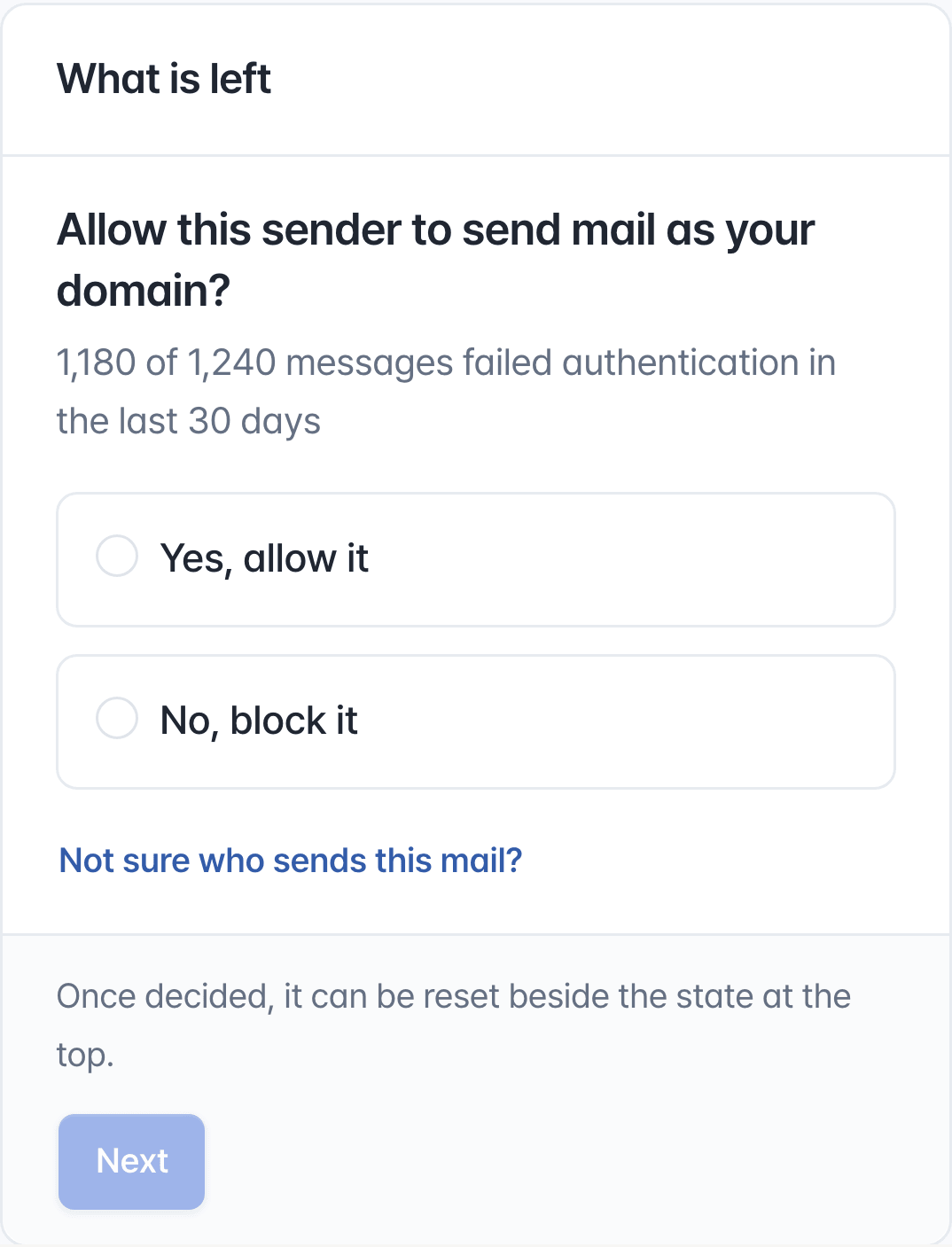
- Allow or block Mailchimpnews.acme.example · 1,180 of 1,240 messages failed authentication in the last 30 daysAllow services your company uses; block those it does not
- Set up email authentication for Twilio SendGridacme.example and 1 more · 450 messages failed authentication in the last 30 daysStep by step, down to the DNS records
- Allow or block server 203.0.113.88acme.example · all 232 messages failed authentication in the last 30 daysShown with its hostname and network
Once every task is done
- Raise the DMARC policy of acme.example to quarantineAll 4 requirements for raising the policy are met
Sample tasks. In the app, these come from your domain's RUA reports.
Request quarantine and monitor for 14 days
When you’re ready, set p=quarantine to ask receivers to quarantine email that fails DMARC, such as placing it in spam. Receivers decide the final handling. Monitor for 14 days and fix missing authorized servers or authentication issues affecting legitimate email.
- Before changing the policy, check recent RUA reports for legitimate email that could be quarantined.
v=DMARC1; p=quarantine; rua=mailto:rua-…@ems.genharden.com; ruf=mailto:ruf-…@ems.genharden.com; fo=0Change only p in your existing DMARC record. Keep your RUA and RUF addresses and other tags.

Request rejection of email that fails DMARC
After 14 days at quarantine, with no remaining tasks, set p=reject to request rejection of DMARC failures. Receivers decide the final handling. Keep reviewing RUA reports for new servers and authentication failures.
v=DMARC1; p=reject; rua=mailto:rua-…@ems.genharden.com; ruf=mailto:ruf-…@ems.genharden.com; fo=0Change only p in your existing DMARC record. Legitimate email with unresolved authentication issues may also be rejected.
Check your company's domain settings now
Enter your company domain to see its DMARC policy and whether it requests quarantine or rejection.